
Flow Time vs Cycle Time (CNC): Plan Capacity With the Right Metric
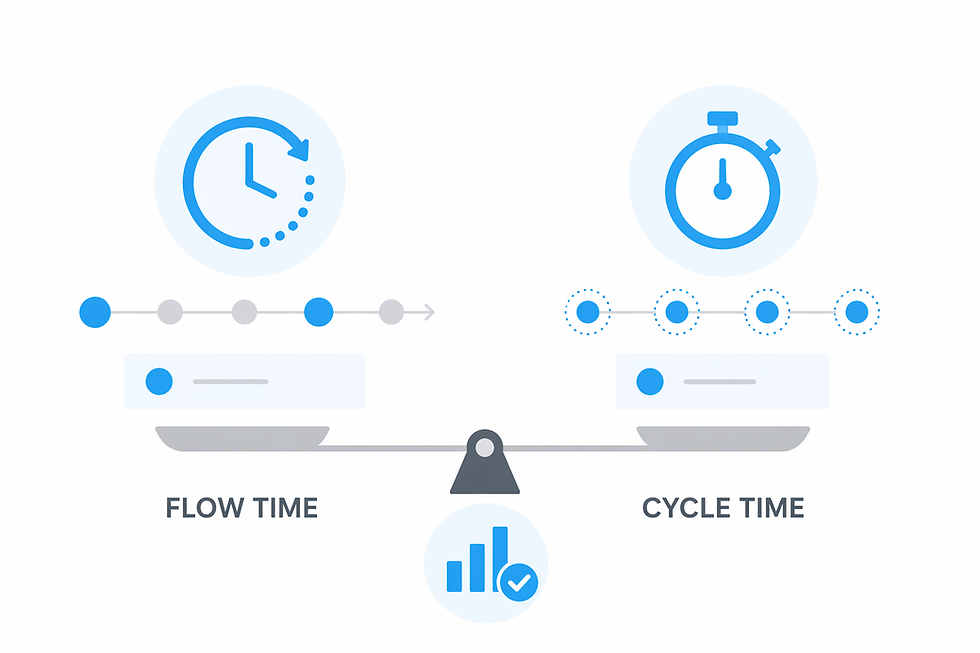
Flow Time vs Cycle Time: The CNC Capacity Metric You’re Probably Misusing
If your shop keeps talking itself into “needing another machine” while cycle times look stable, you may not have a machine capacity problem—you may have a measurement problem. Cycle time tells you what a machine can do during an operation. Flow time tells you what your shop actually delivers end-to-end once queues, approvals, handoffs, and downstream constraints get involved.
In CNC job shops running multiple shifts and a high-mix schedule, flow time and cycle time can diverge dramatically. When you plan using the wrong metric, you undercount where capacity is being consumed outside the cut—then compensate with expediting, overtime, or capital spend that doesn’t address the real bottleneck.
TL;DR — Flow time vs cycle time
Cycle time is an operation-level duration at the machine; define exactly what’s included (load/unload, probing, tool change) so it’s consistent.
Flow time is elapsed time through the system—from release/queue entry to ship-ready completion—so it includes waiting, handoffs, and queues.
If you size capacity off cycle time alone, you ignore queue/setup/approval time and misread where hours are actually getting burned.
Multi-shift handoffs and QA holds can inflate flow time even when run time is unchanged.
Batching to “save setups” can protect cycle time while quietly extending queues for urgent work.
First-article/prove-out time often dominates early runs; treating it like steady-state cycle time distorts load and due dates.
Track a small set of timestamps (release, start, cycle start/end, complete) to expose leakage without relying on router standards.
Key takeaway Cycle time is a local metric; flow time is the system outcome. If your ERP says you have capacity but the floor behaves differently, it’s usually because time is accumulating between cuts—queues, approvals, and shift handoffs—so you need visibility into those components before you add machines or promise tighter lead times.
Why cycle time can look great while due dates still slip
In many CNC shops, “cycle time” gets treated as the answer key for quoting, scheduling, and capacity. The problem is that cycle time is often measured only during automatic run (the cut), sometimes with tool changes included, and often with everything else excluded. That “everything else” is where most schedule risk lives: waiting for material, hunting tools, setup that starts late, first-piece sign-off, inspection queues, deburr backlogs, and end-of-shift handoffs.
When you plan capacity off cycle time alone, you’re effectively assuming the operation begins when you want it to begin and ends when you want it to end. In reality, work arrives early and sits. Or it arrives late because a previous operation didn’t clear inspection. Or it’s “done” at the spindle but not actually complete as a job because it’s waiting on a CMM slot.
The symptoms are familiar: chronic expediting, surprise overtime, hot lists that change mid-shift, and a creeping conclusion that another mill or lathe is the only way out. Before you spend capital, it’s worth separating flow time vs cycle time—because that separation tells you whether the constraint is the machine, the queue feeding it, the support steps after it, or the way work is being released.
This is where operational visibility matters. You don’t fix “late jobs” with better averages; you fix them by seeing where time accumulates outside cutting—often visible only when you track run/idle states and the waiting patterns around them. For broader context on capturing that leakage, see machine utilization tracking software.
Flow time vs cycle time: the distinction that changes capacity math
The fastest way to remove ambiguity is to lock down start/stop definitions that your team can apply consistently across shifts and machines.
Cycle time is the duration to perform a single operation at a machine. In a CNC context, you should explicitly define whether your cycle time includes things like load/unload, tool changes, probing, part flip, chip clear, or only “cycle start to cycle stop.” Two shops can both say “cycle time” and mean different windows—leading to capacity math that doesn’t reconcile with what happens on the floor.
Flow time is the elapsed time through the system. A practical shop definition is: from when the job is released to the floor (or enters the queue for the first required operation) to when the job is complete and ship-ready. That includes any waiting, handoffs, queues, and downstream holds. It’s not a “lean theory” concept here—it’s the clock that determines whether you hit due dates.
Conceptually, picture a timeline with stages like: released → waiting in queue → setup → first-piece approval → running → waiting for deburr/wash → waiting for inspection → job complete. Cycle time occupies one segment (the running window, depending on your definition). Flow time is the entire span.
That’s why flow time is what customers feel and schedulers fight: it absorbs every delay that isn’t visible when you only look at spindle time. And it explains why an ERP router standard can look “reasonable” while the shop still delivers late—because the router standard rarely accounts for real queues, handoffs, and approvals in a high-mix environment.
Where flow time hides: the usual contributors between cuts
Flow time balloons when work is “technically in process” but not actively being advanced. In CNC job shops, the usual contributors show up in repeatable patterns—especially across multiple shifts and mixed equipment.
Queue time before the machine. Jobs wait because of dispatch rules, priority reshuffles, missing material, missing tools, fixture availability, or because the operator is tied up. This is where “the machine is busy” can coexist with “the job is late”—a long queue can be the dominant driver of flow time even when utilization appears high.
Setup and first-piece approval. Setup is obvious; first-piece is often underestimated. The first run includes offsets, program edits, tool substitutions, probing tweaks, and QA sign-off. If you only plan around steady-state cycle time, you can overload the day with “short cycles” that actually require hours of attention before they become repeatable.
Downstream queues. Deburr, wash, inspection, CMM access, and packaging can become the real gating steps. A part can finish at the spindle and then sit—making the operation look successful while the job misses its ship window. If you’re trying to separate “machine done” from “job done,” you’ll often end up needing machine downtime tracking plus timestamps around the non-machine steps.
Shift change and labor availability effects. The same routing behaves differently across shifts. A job might finish roughing late in second shift, then wait for deburr/inspection sign-off and sit overnight. The cycle time didn’t change; the elapsed time did. This is also where definitions matter: is the machine idle because it’s waiting on an operator, or is the job waiting because it missed a handoff window?
Rework and engineering questions. One unclear print note, a tool life issue, or a “hold for engineering” can multiply flow time. Even when rework is rare, the waiting created by questions and approvals is common—and it’s invisible if you’re only reviewing cycle time standards.
Operationally, this is “utilization leakage”: time that consumes capacity without advancing the job toward completion. If you want a deeper view of how shops categorize run/idle/blocked/starved patterns, start with machine monitoring systems.
Capacity planning impact: what changes when you plan with flow time
Cycle-time-only planning sizes machine hours. Flow-time-aware planning sizes the system: machines plus the constraints that feed them and clear them. That shift changes the decisions you make in quoting, scheduling, and staffing—without needing to turn this into a generic lean lecture.
Promised lead times and expedite risk. If you quote based on sum of cycle times, you’re effectively quoting an ideal world with near-zero waiting. Flow time forces you to account for the fact that jobs don’t teleport between steps—and that QA, deburr, and programming availability have calendars too. The payoff is fewer “surprise” hot jobs that cannibalize everything else.
WIP and queue length behavior. Longer queues inflate flow time even if machines stay busy. In high-mix shops, it’s common to see a local optimization (keep the spindle running) create a system penalty (work piles up, priorities churn, and urgent orders wait behind batched work). Flow time is the metric that makes that trade-off visible.
Different “add capacity” decisions. If flow time shows work stacking up after machining, adding another machine may not move ship dates. You might need to add inspection coverage in a certain time window, re-time deburr, or change release rules so urgent orders don’t sit behind batch runs. In other cases, flow time exposes that the machine truly is the constraint—but you’ll reach that conclusion with fewer assumptions.
When cycle time is still the right tool. Cycle time is excellent for process improvement, CAM validation, quoting run cost per part, and spotting drift in a program or setup method. It misleads when you use it for customer commitments and load decisions without accounting for the non-cutting time that dominates system performance.
Two shop-floor timelines: same cycle time, very different flow time
The easiest way to internalize the difference is to look at two jobs where the cutting cycle time is the same, but the elapsed time is not. The numbers below are simple arithmetic examples; your actual mix will vary. What matters is the start/stop definition and the non-cutting components that dominate the clock.
Scenario 1: Multi-shift handoff inflates flow time
Clock definition: Flow time starts when the traveler is released to the machining queue and stops when the part is inspection-signed and ready for the next step/ship. Cycle time is cycle start to cycle stop (machine automatic run), with tool changes included.
Queue before setup: 2–6 hours (priority changes + operator availability)
Setup: 30–90 minutes (fixture + offsets)
Cycle time (cutting): 18–22 minutes (stable, repeatable)
Wait for deburr/inspection sign-off: 1–3 hours
Overnight hold: part finishes roughing near end of 2nd shift, misses the inspection window, sits until 1st shift
The cycle time stays “great.” The flow time, however, spans a large portion of a day because the job hit a handoff boundary and a QA availability constraint. The real constraint isn’t the spindle—it’s the timing of deburr/inspection coverage and the handoff rules around shift change.
The wrong cycle-time-only decision: add another machine or run overtime on the machine because “machining is behind.” The corrected flow-time decision: create an inspection sign-off window near the end of second shift, change the release timing so parts don’t finish right after QA leaves, or route certain work to inspection earlier. Even small scheduling rule changes can recover capacity without touching cycle time.
Scenario 2: High-mix batching protects setup but grows the queue
Clock definition: Flow time starts when an urgent order enters the machining queue and stops when it clears machining and downstream inspection. Cycle time is the per-part automatic run time.
Cycle time (cutting): 6–9 minutes per part (steady)
Setup savings via batching: one setup runs a large batch to “get ahead”
Queue time for the urgent order: 1–3 days waiting behind the batch (even though its cycle time is short)
Downstream inspection/CMM queue: 4–12 hours depending on release timing
Here, flow time is dominated by waiting created by batching decisions. The real constraint is dispatch policy (what you release and when) and the queue it creates, not the cutting duration.
The wrong cycle-time-only decision: conclude that because cycles are short, the cell is “fine,” and the late order must be a one-off. The corrected flow-time decision: split the batch, set a release rule for urgent orders, or reserve a daily window for small hot work so it doesn’t sit behind setup-optimized runs. You’re trading a bit of setup efficiency for a big reduction in queue-driven delay.
One more pattern worth calling out: first-article/prove-out. Even with a known steady-state cycle time, the first run can be dominated by offsets, tool swaps, and a QA hold. If you load the schedule as if every piece is “repeatable from minute one,” you’ll overpromise and then compensate with expediting. This is exactly the kind of gap that becomes obvious when you capture actual run/idle and waiting windows on the floor rather than relying on ERP standards alone.
How to measure both without ERP guesswork
You don’t need perfect data to start; you need consistent definitions and a few timestamps that survive across shifts. Router standards and spreadsheets can be useful references, but they’re not observations. If the goal is to tighten capacity planning, measure what actually happens.
Use clear timestamps (start/stop rules)
Job released: when work is authorized to move to the floor (or hits the queue for the first operation)
Operation started: when setup begins (or when the operator begins work for that operation)
Cycle start / cycle end: the machine’s run window (your cycle time definition)
Operation complete: when the part is ready to leave the machine (including any required checks at the machine)
Job complete: when the job is inspection-signed / ship-ready (whatever “done” means for your promise)
Minimum viable tracking that scales
At minimum, capture (1) queue entry/exit and (2) machine run state. That combination lets you separate “the machine wasn’t running” from “the job wasn’t moving,” which is the heart of the flow time vs cycle time problem. This is also why shops adopt real-time utilization capture: it reduces the burden of manual updates and makes shift-level differences visible instead of debatable.
Common traps to avoid:
Mixing definitions across shifts (e.g., 1st shift logs setup, 2nd shift logs only run time)
Excluding first-piece/prove-out time “because it’s not repeatable” (it still consumes capacity)
Counting only green-light time, then wondering why shipped output doesn’t match planned output
Using ERP standards as if they were timestamps (standards are expectations, not evidence)
A simple weekly review that works: pull your top jobs by “flow time to cycle time” ratio (even if it’s approximate at first). The outliers typically point to the same culprits—inspection windows, batching policy, missing kits, prove-out holds, or priority churn. If you have a lot of data and need help interpreting it consistently, an AI Production Assistant can be useful for summarizing patterns and questions to investigate, without turning the exercise into a dashboard project.
Implementation note: if you’re evaluating how to instrument this kind of tracking across a mixed fleet, plan for rollout details (connectivity, what signals you’ll use, and how you’ll handle legacy machines) and budget it like an operational tool—not a year-long IT program. If you need the non-numeric cost framing and what typically drives it, see pricing.
Decision checklist: when flow time is the metric you should be managing
If you’re deciding what to manage week-to-week, use the metric that matches the decision. This prevents cycle time from being blamed for problems created by queues and handoffs.
Manage flow time when the decision touches commitments
Quoting lead times and setting customer expectations
Prioritization rules and daily dispatching (especially in high mix)
WIP control and release decisions (what enters the system and when)
Expedite reviews and root-cause conversations (why jobs waited, not just how long they ran)
Manage cycle time when the decision is local to the operation
Verifying process changes (new tools, feeds/speeds, updated probing strategy)
Estimating per-part run cost (using consistent definitions)
Detecting drift (program edits, tool wear behavior, operator method differences)
Red flags that point to a flow-time problem
High WIP with frequent hot lists and priority churn
Large gaps between “run complete” and “job complete” (inspection/deburr/packaging holds)
Different performance by shift that can’t be explained by cycle time changes
First-article/prove-out repeatedly derailing “short cycle” schedules
What to do next operationally: pick one product family, one cell, or one problem area (for example: parts that frequently hit inspection holds). For 2 weeks, baseline flow time components with the timestamps above and compare them to cycle time. You’re looking for the dominant “between cuts” bucket—queue, setup/prove-out, inspection, or shift handoffs—so the next decision is targeted.
If you’re solution-aware and want to confirm whether your biggest constraint is truly machining or something surrounding it, use a short demo to validate how quickly you can separate run time, idle patterns, and waiting behavior across shifts. You can schedule a demo and bring one recent late job; the goal is to map where the elapsed time accumulated so your next capacity move is a correction—not a guess.
.png)



