
Production Monitoring: Find Downtime Patterns Fast
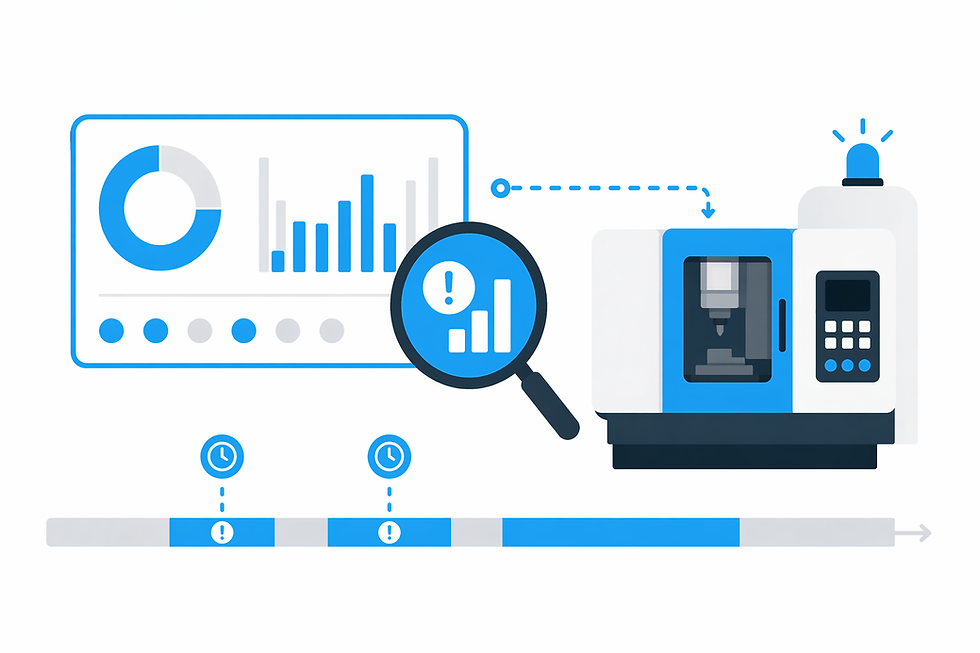
Production Monitoring: Find Downtime Patterns Fast
If your ERP says you “hit the plan” but the schedule still slips, the problem usually isn’t effort—it’s visibility. In a multi-shift CNC job shop, most lost capacity doesn’t show up as a dramatic breakdown. It shows up as repeatable, small interruptions: waiting on first-article, hunting for offsets, a tool that wasn’t staged, a handoff that quietly resets momentum, or a bottleneck that goes idle at the exact wrong time.
Production monitoring is valuable when it acts like an operational diagnostic layer—turning machine behavior plus a bit of human context into patterns you can recognize and act on within the same shift. That’s how you recover capacity before you buy capacity.
TL;DR — Production monitoring
Prioritize time-stamped machine states and transitions you can respond to during the shift.
Look for repeatable stop “signatures” (handoffs, first-article waits, staging gaps) more than headline KPIs.
Segment losses by shift, part family, and operation to expose differences hidden by weekly rollups.
Micro-stops (3–8 minutes) often compound into the biggest capacity leak because they’re inconsistently reported.
Validate whether idle time is “starvation” (waiting upstream) or “blockage” (downstream congestion).
Use time-of-day clustering to pinpoint systemic causes like inspection windows or material runs.
Adoption hinges on consistent, minimal stop categories—not perfect reason-code taxonomy.
Key takeaway The fastest capacity recovery in a 10–50 machine shop comes from exposing repeatable downtime patterns your ERP can’t see: shift-specific idle/waiting, inspection-driven starvation, and micro-stops that never get logged consistently. Production monitoring matters when it converts those behaviors into decision-ready patterns—so supervisors can protect the constraint and remove the same causes before they recur later in the shift.
What production monitoring should reveal (and what it shouldn’t)
In a CNC job shop, production monitoring should do one primary job: convert machine signals (run/idle/stop states, cycle transitions, timestamps) plus operator context (why it stopped) into repeatable downtime patterns you can tie to a specific constraint—machine, shift, part family, or operation. The output you want isn’t “a report.” It’s a short list of recurring interruptions that explain why throughput doesn’t match the plan.
“Visibility” in this context means you can answer, without debate: What state is the bottleneck in right now? When did it last change states? What stops keep repeating on second shift versus first? Which parts or operations trigger longer warmups, probing, or prove-out pauses? That’s the kind of time-stamped clarity that supports action in minutes, not postmortems later in the week.
What production monitoring should not become is a KPI scoreboard that explains results after the fact. If the “insight” arrives as a Monday morning chart, it’s already too late to save Friday’s schedule. The reason this matters for downtime programs is straightforward: the better your monitoring is at capturing consistent stop behavior, the more useful your downtime work becomes. If you want a deeper framework for turning this into a disciplined approach, see machine downtime tracking.
The hidden costs of ‘good enough’ reporting in multi-shift CNC shops
End-of-shift notes and manual ERP entries often feel “good enough” because they capture the big events: a crash, a broken tool, a down machine. But most schedule damage comes from the gray area—short stops, waiting, and setup execution variance—where reporting is least trustworthy.
Downtime gets misclassified across shifts for practical reasons: handoffs are rushed, people forget the fifth stop that night, incentives encourage “keep it simple,” and the supervisor isn’t standing at every pacer machine to see what really happened. Two operators can experience the same event (bar change delay, offset hunting, waiting for a traveler) and log it under two different buckets—or not log it at all.
The compounding effect is what makes this expensive: micro-stops, minor waits, extended probing, unplanned changeovers, and “I’ll get to it in a minute” pauses become a steady utilization leak. None of them look like a capital problem, but together they behave like one—especially on the constraint.
That’s where the bottleneck illusion forms: you can walk the floor and see plenty of “busy” machines, but the schedule is governed by a single constraint that’s quietly starved, blocked, or slowed by variance. The real cost is decision lag. If you only learn that second shift struggled after the shift ends (or after the week closes), you lose the chance to intervene when it mattered—while the order was still savable.
Downtime patterns production monitoring can surface in the first week
You don’t need months of data to get value. In many shops, a few days to a week of consistent state capture is enough to expose the repeatable stop categories that keep showing up. The key is to look for “signatures” you can recognize—clusters by time, shift, part family, or operation.
Shift-change signatures
Monitoring often shows stop clusters around handoff: a machine finishes a cycle and then sits while the next job packet gets found, the correct program revision is confirmed, or the first part of the next setup gets started late. You may also see warmup variance by shift—some teams run a consistent routine, others improvise—creating predictable drift in when the constraint actually becomes productive.
First-article / inspection starvation
Required scenario: Second shift shows higher idle/waiting time on the bottleneck mill, but only on jobs requiring first-article inspection. Production monitoring can make this obvious when you segment by “jobs needing first-article” and see idle periods align with inspection queue timing. The mill isn’t “down,” and the operator isn’t necessarily the issue—the machine is starved because QA is tied up at predictable times, so the first piece sits and the spindle waits.
Setup and staging gaps
Stops that look like “setup” are often really “setup waiting”: looking for the right fixture, missing gaging, a tool that’s still at preset, material not cut, or an offset sheet that wasn’t updated for the latest rev. These are controllable losses because they’re process and coordination problems, not machine limitations.
Program / prove-out delays
In high-mix work, repeat delays frequently follow part families, rev changes, or certain operations (probing routines, tight-tolerance bores, complex surfacing). Monitoring helps you separate “this part always runs longer” from “this part always stops in the first 30 minutes,” which points to release readiness, prove-out practices, or missing documentation.
Micro-stop accumulation
Required scenario: A high-mix lathe cell has frequent 3–8 minute micro-stops labeled inconsistently. When you have time-stamped stop events, you can spot that these short interruptions cluster around bar changes and tool offsets—pointing to staging and standard work gaps rather than “lathe problems.” Without monitoring, these events get smoothed into “running” time or written off as noise.
How to read monitoring data to find the bottleneck (without a theory lecture)
You don’t need a long workshop to find the constraint. Start with where the schedule breaks: which work center creates the late orders, the expediting, and the re-plans. The bottleneck is usually the machine (or small cell) whose variability propagates downstream—when it drifts, everything behind it starts waiting or gets reshuffled.
Then interpret the monitoring output with a simple diagnostic lens: is the constraint being starved, or is it being blocked? Starvation shows up as the machine idle while upstream conditions should allow it to run (waiting on inspection release, waiting on material, waiting on a setup kit). Blockage shows up when the machine can’t proceed because downstream capacity or flow is jammed (no place to put work, inspection backup, no operator coverage to unload/verify).
Segmenting matters. A pure “by machine” view often hides the truth. Break it down by shift, part family, and operation. That’s how you catch patterns like: second shift only struggles on first-article jobs; weekend shift shows longer cycles on the same programs; or one operation consistently triggers prove-out pauses. Time-of-day clustering is another shortcut: if stops bunch around certain windows, you’re likely dealing with systemic causes (inspection availability, material runs, toolroom handoffs), not random noise.
When you need a broader context on what “real-time monitoring” typically includes (without turning this into a feature checklist), it helps to align terminology with machine monitoring systems so you’re evaluating outputs that support these segmentation steps.
From visibility to action: decisions you can make within the same shift
The operational advantage of production monitoring is decision speed. Once you can see repeatable stop behavior on the constraint, you can run simple playbooks instead of reacting to anecdotes.
Triage rules: escalate the stops that threaten the constraint
Not every stop deserves a meeting. The practical rule is: if the stop hits the constraint (or a feeder operation that will starve it within the next hours), escalate quickly. If it’s on a non-constraint with slack, document it and move on. Monitoring helps you make that call without walking the floor guessing which “red light” matters most.
Staffing moves: protect the bottleneck at predictable times
If the data shows the constraint goes idle during first-article waits, shift handoff, or lunch coverage gaps, you can assign a float operator or lead to cover that window. This is especially relevant in mixed fleets and multi-shift shops where the owner or plant manager can’t physically oversee every pacer machine.
Staging and kitting: remove the recurring “missing stuff” clusters
Required scenario tie-in: if the lathe cell’s 3–8 minute micro-stops cluster at bar changes and offset adjustments, the fix is rarely “better reporting.” It’s staging: bar stock prepared, offset sheets verified, presetting standardized, and tool/insert swaps planned so those interruptions don’t hit the same machines repeatedly.
QA scheduling: stop starving machines on a calendar
Required scenario: When second shift idle/waiting on the bottleneck mill appears only on first-article jobs, you can change the same-day plan: pre-book an inspection window, stage the first-article paperwork and gaging, or run a different job sequence until QA is ready. The point is not more “communication”—it’s aligning inspection capacity with the constraint’s release rhythm.
Dispatching: choose work that stabilizes the constraint
A common trap is keeping spindles “green” at all costs. Monitoring encourages a different dispatch question: which job keeps the constraint flowing with the least avoidable interruption right now? Sometimes that means prioritizing jobs with ready programs, staged tooling, and predictable inspection needs—then tackling the higher-variance work when support (programming, QA, lead coverage) is available.
Mid-article diagnostic: pick one constraint machine and answer three questions from your current process (even if it’s manual): (1) Which stop happens repeatedly on second shift? (2) Does it cluster around a time window? (3) Is it tied to a specific operation or part family? If you can’t answer those without debate, you’re a candidate for machine utilization tracking software that makes the patterns visible quickly enough to act.
Implementation reality: getting trustworthy downtime patterns without disrupting the shop
The rollout succeeds or fails on trust and consistency—especially across multiple shifts and a mixed fleet of newer and legacy machines. The goal is not perfect categorization on day one. It’s reliable capture of the repeat offenders so you can see patterns clearly.
Minimum viable capture: start small and usable
Begin with a small set of stop categories operators will actually use under time pressure (for example: waiting on inspection, waiting on material, setup/tooling, program/prove-out, operator unavailable, other). You can refine later once you’ve identified which buckets dominate the constraint’s losses. This avoids “other/unknown” becoming a black hole while keeping the process lightweight.
Consistency over perfection: reduce noise that hides patterns
Required scenario: A weekend shift can report “running” while output is low. Monitoring may show long cycle time drift and extended warmups/probing—indicating process variance and setup execution issues, not demand issues. That’s exactly the kind of gap between reported status and actual machine behavior that consistent state capture reveals.
Shift-to-shift normalization: same definitions, fast feedback
Normalize expectations across shifts: the same stop definitions, the same prompt to add context when it matters, and quick feedback loops so operators see that the data drives fixes (staging, QA timing, program readiness). When people believe the goal is to remove recurring friction—not to police them—reason capture quality improves.
Governance: who reviews patterns and what they decide
Decide who owns the cadence: a daily quick review (often the ops manager, lead, or supervisor) to protect the constraint, plus a weekly review to remove the top recurring causes. This is also where interpretation support can matter—turning raw state histories into decision-ready summaries. If you want a sense of what assisted interpretation looks like in practice, see the AI Production Assistant page.
Cost and rollout expectations should be framed around friction avoided: minimal disruption, fast installation, and the ability to work across a mixed fleet without corporate IT overhead. If you’re weighing implementation scope, packaging, or what “getting started” entails, review pricing to anchor the conversation around deployment practicality rather than theoretical dashboards.
If you’re already solution-aware and want to validate whether production monitoring will surface actionable patterns in your shop (by shift, part family, and constraint), the next step is a short diagnostic walkthrough using your real flow and a few representative machines. You can schedule a demo to see how quickly you can get trustworthy stop patterns—and how those patterns translate into same-shift decisions that protect throughput.
.png)



