
Machine to Machine Communication for CNC Cell Uptime
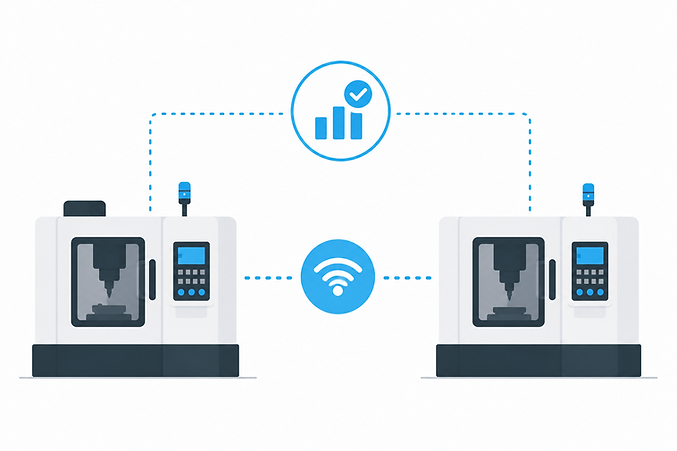
Machine to Machine Communication: The Operational Glue Behind Unattended CNC Cells
An automated CNC cell can look “fine” on the floor—robot powered up, pallet pool full, control in AUTO—while your actual output quietly falls behind plan. In most mid-market job shops, that gap isn’t caused by a lack of automation hardware. It’s caused by machine to machine communication that isn’t deterministic enough to keep handoffs moving (and isn’t structured enough to explain, later, why the cell stopped).
When signaling is incomplete or inconsistent, the cell spends real time waiting in “pseudo-idle” conditions—waiting for an acknowledgment, waiting for a safety state, waiting for a pallet-ready confirmation. Those minutes matter most on 2nd and 3rd shift, when staffing is thin and the first sign of trouble is often the next morning’s schedule miss. Communication quality also determines whether your utilization data is trustworthy—especially when ERP entries and end-of-shift notes don’t match what machines actually did.
TL;DR — machine to machine communication
Automation loses runtime when handoffs rely on ambiguous “ready” conditions or missing acknowledgments.
Minimum unattended operation needs a small, shared state model (ready/running/complete/fault/hold/safe).
Blocked vs starved time is usually a signaling problem, not a “mystery idle” problem.
Use deterministic links (PLC I/O/fieldbus) for handshakes; use higher-level protocols for monitoring.
Race conditions and deadlocks often show up as “cell green, no parts coming out.”
Multi-shift escalation should trigger on “waiting too long,” not on hours of lost production.
Map cell signals into utilization categories so operators don’t have to reconstruct reasons after the fact.
Key takeaway If your ERP or shift notes say a cell was “running,” but parts output doesn’t match, the root cause is often a visibility gap: the machines and cell equipment aren’t exchanging clean, deterministic states. Fixing the handshake (and mapping those states into run/blocked/starved/fault/setup) typically recovers hidden capacity before you consider adding machines, overtime, or another automation layer.
Why automated CNC cells lose utilization without solid machine-to-machine communication
Machine to machine communication is what turns “robot + CNC + pallets” into a continuously running system. Without it, automation hardware still works—but it works in bursts, with frequent micro-stops at each handoff: part complete, door/guard condition, robot entry permission, clamp confirmation, pallet presence, gauge accept/reject, and the next cycle start.
The most common utilization leakage patterns in automated cells are recognizable:
Blocked: the CNC (or robot) is ready, but can’t proceed because a downstream step didn’t confirm it’s ready to receive/accept.
Starved: the CNC is waiting for an upstream resource (pallet, bar, robot, fixture) that actually exists—but the “available” state never arrived or is stale.
Waiting-for-acknowledgment: both sides are healthy, but a handshake step is missing (or not acknowledged), so everything pauses in a state that looks like idle.
“Unknown idle” time: your monitoring shows the CNC not cutting, but can’t tell if it’s safety, robot interlock, pallet logic, or a simple timeout.
Multi-shift reality makes this worse. A single 1–3 minute handoff delay is annoying on day shift; on 2nd/3rd shift, it compounds because no one is nearby to notice the cell waiting. In the morning, the ERP may still show the job “in process,” and the shift log might say “ran overnight,” but actual machine behavior says otherwise. That’s why many shops start with visibility and downtime attribution—before they spend more capital—using approaches like machine utilization tracking software that can translate shop-floor signals into usable categories instead of generic idle time.
Manual methods have a ceiling here. Whiteboards, end-of-shift notes, and “we’ll fix it tomorrow” troubleshooting don’t capture short, repeated waits—and they rarely separate “the CNC was idle” from “the cell was blocked by a missing safe-to-enter acknowledgment.” Once you have more than a handful of pacer machines and at least one automated cell, scalable operation requires automatic capture of what state each asset was in and why.
The core handshake: the minimum states machines must exchange to run unattended
You don’t need an IT textbook to evaluate your cell’s communication. You need to know whether the cell has a minimum viable, shared state model—and whether the transitions are acknowledged in a predictable way.
Minimum machine states (protocol-agnostic)
At a minimum, unattended CNC operation benefits from states that answer: “Can I safely enter?” and “Can I start the next cycle?” Practical baseline states include: ready, running, cycle complete, fault, hold (feed hold/program stop), in auto, and door/guard safe.
Cells also require resource states beyond the CNC itself: pallet present, robot available, gripper status (occupied/empty), clamp status (unclamped/clamped confirmed), and basic utilities like air/hydraulic OK.
Event-driven vs. polled status (why acknowledgment matters)
Many “it should work” issues come down to timing. Polled status (checking a bit every interval) can be fine for reporting, but handshakes often need event-driven signaling with explicit acknowledgment so you don’t miss a short-lived transition. If a “cycle complete” pulse is too brief, or a “safe” bit lags behind the actual condition, the robot and CNC can end up waiting—even though both are physically ready.
Handshake sequence example #1: Robot-tended CNC
Step-by-step, a simple robot-tend handshake often looks like this (wording varies by integrator, but the logic is consistent):
CNC transitions to cycle complete and asserts request unload.
CNC asserts safe to enter (door unlocked / spindle stopped / axes parked / interlocks satisfied).
Robot (or PLC) acknowledges entering cell and confirms gripper empty.
Robot unloads; sensor confirms part removed.
Robot loads new part; sensor confirms part seated.
Fixture asserts clamp confirmed; robot exits; PLC asserts cell clear.
CNC receives start permitted and transitions to running (cycle start).
Required scenario: if the CNC finishes a cycle but the robot doesn’t receive “part complete + safe to enter” reliably, the cell can sit in a pseudo-idle state until an operator intervenes. That’s exactly the kind of unattended-utilization loss that shows up on 2nd/3rd shift as “it ran…mostly.”
Common protocols (and where they fit): PLC I/O, OPC UA, MTConnect, fieldbus
Protocol choices matter because they define what’s deterministic (good for control) versus what’s descriptive (good for reporting). The practical rule is: don’t let “visibility plumbing” slow down the handshake that keeps the cell running.
Discrete I/O + PLC logic
Discrete I/O into a PLC (and the PLC enforcing interlocks) is often the most deterministic method for handshakes: fast, simple, and predictable. The tradeoff is semantic richness—you may know a bit is “ON,” but not the detailed context unless you build the state model carefully.
OPC UA
OPC UA is useful when you need structured data and broader interoperability across equipment. Operationally, the key is implementation quality: how often values update, whether timestamps are reliable, and whether the system behaves consistently during network hiccups. OPC UA can be a strong bridge for supervisory logic and reporting, but most shops still keep the motion/handshake layer deterministic and local.
MTConnect (monitoring, not command)
MTConnect is excellent for CNC status and telemetry—useful for understanding what the machine is doing and for building trustworthy utilization categories. It’s typically not used for real-time command handshakes (robot entry permission, clamp interlocks) where deterministic control is required. If you want context on the monitoring side, this overview of machine monitoring systems helps frame where machine state data fits versus cell control.
Fieldbus (EtherNet/IP, PROFINET, etc.)
Industrial fieldbus networks commonly connect devices inside the cell (robot controller, PLC, I/O blocks, pallet system). The operational advantage is real-time behavior for device networks. The integration work is still real: addressing, diagnostics, and making sure the “truth” of a state is consistent across all participants.
Rule of thumb: use deterministic control links (PLC I/O/fieldbus) for motion and handshakes, and use higher-level protocols (OPC UA/MTConnect) for monitoring and visibility. That separation helps prevent reporting demands from creating delays that look like “random idle.”
Architectures that keep the cell moving: who should talk to whom
Communication architecture is where many shops accidentally introduce brittleness. The goal is straightforward: a clear “referee” for interlocks, clean boundaries between control and reporting, and no single missing message that turns into hours of “unknown” time.
Cell controller/PLC as the referee
A PLC (or dedicated cell controller) is often the right place to centralize handshake logic, interlocks, and timeouts. It reduces “interpretation drift” where the robot and CNC each assume the other side means something different by “ready.” It also becomes the natural location to implement heartbeats and safe fallback behavior.
Robot ↔ PLC ↔ CNC (typical pattern)
A common pattern is robot-to-PLC and PLC-to-CNC. Direct robot-to-CNC integrations can work, but they can be fragile across OEMs and harder to troubleshoot when you have mixed equipment. The PLC layer provides a consistent place to see: “robot requested entry,” “CNC safe,” “clamp confirmed,” and “start permitted.”
Pallet pool / scheduler integration
Pallet systems add queue logic. That logic only works when the scheduler/PLC receives accurate states such as machine ready, machine occupied, fixture clamped, program loaded/selected, and fault/hold. Required scenario: pallets can be available, but if the scheduler doesn’t get trustworthy “ready / clamped / program loaded” signals, it can starve a machine even though capacity exists—creating avoidable waiting time that often gets mislabeled as generic idle.
Edge gateway for visibility (control vs. reporting)
For operational visibility, an edge gateway can collect machine and cell states without interfering with control timing. This is where monitoring and utilization classification live—separate from the real-time interlocks. It also helps when you need to connect a mixed fleet (new and legacy equipment) without turning your cell control network into a science project. For deeper context on capturing reasons and states (not just “on/off”), see machine downtime tracking.
Time sync and buffering
“Unknown” time frequently comes from lost or out-of-order events: a short “part present” transition that never got logged, or a “cycle start” that arrived without the preceding “clamp confirmed.” Time synchronization and basic buffering (store-and-forward) keep event histories consistent so your utilization categories reflect what happened, not what was reconstructed later.
Failure modes that look like ‘idle’ but are really communication problems
On most shop floors, the symptom is simple: “The cell was sitting there.” The operational question is whether it was starved, blocked, in fault/hold, or simply waiting on an acknowledgment that never arrived. Communication issues blur those categories and push you back into manual guesswork.
Starved vs. blocked (classification depends on signals)
If upstream availability isn’t signaled correctly (pallet ready, robot free, bar present), the CNC appears idle but is actually starved. If downstream acceptance or safety clearance isn’t acknowledged (robot entry permission, part removed confirmation), the CNC can be blocked. Without the upstream/downstream context, both conditions collapse into “idle,” and you lose the ability to fix the real constraint.
Race conditions and deadlocks (both sides waiting)
A classic deadlock is: CNC waits for “robot acknowledged safe-to-enter,” robot waits for “CNC safe-to-enter true,” and neither transitions because an edge case wasn’t handled (door state, program stop, or a brief signal). The cell can look “green” but produce nothing until a human clears the sequence.
Heartbeat/timeouts (detect silent failures)
Heartbeats and timeouts are practical tools for multi-shift operations. Instead of waiting for an operator to notice the cell stuck, the controller can declare: “Waiting for safe-to-enter exceeded threshold” or “robot comms lost.” That turns a silent stoppage into an actionable condition with a timestamp and context.
Bad state mapping (cycle complete vs. hold vs. stop)
Misinterpreting states creates false narratives. A “program stop” or “feed hold” can be mistakenly treated as “cycle complete,” triggering the robot to attempt entry when it shouldn’t. Or the opposite: a legitimate “cycle complete” gets treated as a generic idle, and the cell never advances. State naming doesn’t matter; state meaning and transition logic do.
Failure sequence example #2: ‘Green’ cell, no parts
Here’s a realistic event chain that creates “idle” time that isn’t truly idle:
CNC finishes machining and sets cycle complete.
CNC briefly toggles safe to enter, but the robot/PLC polls slowly and misses the transition.
Robot never asserts entering; CNC never receives acknowledgment; both remain “not faulted.”
Monitoring sees the CNC “not running” and labels it idle/unknown.
On night shift, no one intervenes; the cell sits until morning.
The fix isn’t “a better dashboard.” It’s tightening the handshake: latching critical states, using acknowledgments, adding timeouts, and ensuring the reporting layer sees the same truth as the control layer.
Turning communication into utilization insight: state mapping that operators don’t have to babysit
Communication is only “done” when it produces operational clarity. If your team still has to reconstruct last night’s stoppage from memory, you haven’t closed the loop between signals and utilization categories.
Map combined machine + cell states into usable categories
A practical model uses both CNC signals and cell context to define categories like: run, setup, fault, blocked, starved, and manual intervention. This is where the “ERP vs. actual behavior” gap becomes visible: ERP might show the job active, but the combined state model can show the cell starved due to pallet logic or blocked due to missing acknowledgments.
Auto-reason capture using interlock context
When the cell stops, the interlock context can often explain it without operator input: robot busy, pallet empty, door open, clamp not confirmed, gauge hold active. That’s the difference between “idle” and a fixable constraint. If you need help interpreting stop patterns from mixed signals, an AI Production Assistant can support faster triage by turning state sequences into plain-language explanations your team can act on.
Multi-shift escalation rules (alerts that match reality)
Escalation should trigger when “waiting” exceeds a reasonable threshold—not after the cell has been down for hours. For example, if a robot-tend cell remains in “cycle complete but not unloaded” or “machine ready but no pallet assigned” beyond a defined window, notify the on-call lead. The point is fast response on nights/weekends when babysitting isn’t an option.
Commissioning checklist (dry-run + shift-handover test)
Whether you’re commissioning a new cell or stabilizing an existing one, validate communication like an operations leader:
Run a dry-cycle and confirm each state transition is latched/acknowledged (no missed pulses).
Force common edge cases: door opened, hold engaged, robot paused, pallet misread, clamp not confirmed.
Verify starved vs blocked labeling using upstream/downstream context.
Do a shift-handover test: can night shift see exactly why the cell is waiting without calling day shift?
Required scenario: in-process gaging without a reject/hold signal
In-process gaging is a perfect example of “running” that still leaks utilization. If a gage rejects a part but the cell controller doesn’t receive a standardized reject/hold signal, the machine can continue producing parts that will be quarantined later. From a utilization standpoint, the spindle was cutting—but operationally you were running nonconforming work, consuming capacity and creating downstream disruption. Clean signaling (accept/reject/hold required) prevents that hidden loss and keeps your utilization categories aligned with real output.
If you’re considering improving monitoring alongside cell communication, keep the cost framing practical: the real expense is usually commissioning time (state mapping, testing, escalation rules), not “software licenses” in isolation. For a straightforward view of packaging and rollout expectations, you can review pricing as part of planning—especially if you’re trying to recover hidden time loss before committing to additional machines or another automation build.
A useful next step is a short diagnostic review: what states you currently have, which ones are missing, where acknowledgments can be lost, and whether your utilization reporting is grounded in actual cell behavior (not manual reconstruction). If you want to walk through that with your specific cell (robot tend, pallet pool, or mixed), you can schedule a demo and bring a simple list of signals you have today (or screenshots of state screens). The goal is to leave with a clear state model and a practical path to fewer “unknown” stops across all shifts.
.png)



