
Line Balancing Software: How Manufacturers Eliminate Bottlenecks
Updated: May 19
Why Modern Manufacturers Rely on Assembly Line Balancing Software
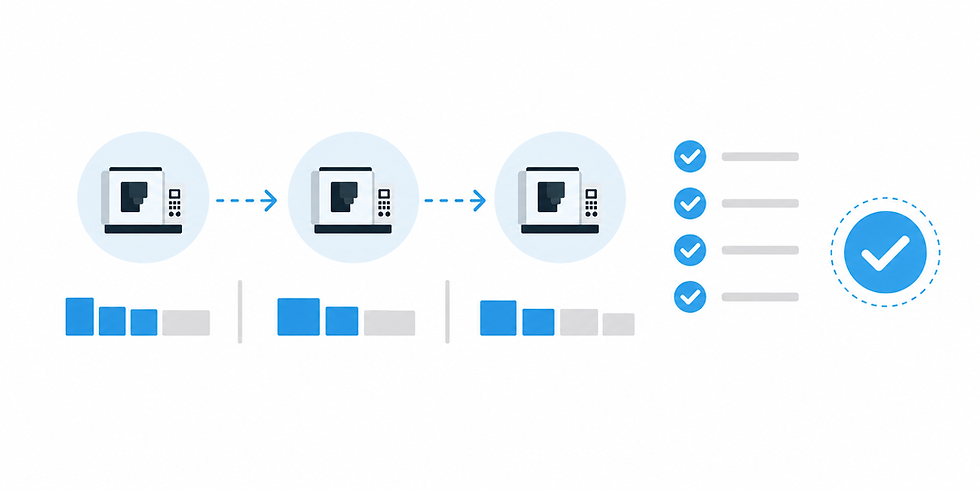
On any shop floor, an unbalanced line is a recipe for inefficiency. While one machine is starved for parts, another is overwhelmed, leading to chaotic WIP, missed deadlines, and artificially low OEE. Modern assembly line balancing software replaces manual guesswork and complex spreadsheets with data-driven insights. It helps you identify the takt time, pinpoint bottleneck stations, and reallocate tasks to ensure a smooth, continuous flow of production from start to finish.
Line Balancing Software for CNC Shops: What to Verify
If your CNC shop is late while “busy,” you don’t have a motivation problem—you have a synchronization problem. The tell is familiar: one area runs nonstop, another keeps waiting on parts, and expediting becomes the default management system. That’s line imbalance, and the capacity you need is often trapped in queues, handoffs, and shared resources—not in the next machine purchase.
Line balancing software becomes valuable in job shops when it stops being a planning exercise and starts operating as a feedback loop: detect starving/blocking as it happens, identify what’s limiting flow right now, and guide the next action across shifts and mixed part families—using real shop-floor signals instead of weekly averages.
TL;DR — Line balancing software
Imbalance shows up as starving upstream machines or blocking downstream steps—not just “idle time.”
Local “busy” work can coexist with late orders when queues and handoffs absorb capacity.
Manual balancing fails when mix, changeovers, and staffing shift faster than your review cadence.
Automation should detect the live constraint and tie recommendations to blocked/starved and queue signals.
Measure queue time vs. processing time by step to find where flow collapses.
Multi-shift drift (batching vs. flow) is a common driver of morning starvation and downstream WIP bubbles.
A pilot should prove faster diagnosis and better synchronization—within hours/days, not weeks.
Key takeaway Most “utilization loss” in a CNC job shop isn’t a machine problem—it’s waiting created between processes. Line balancing works when you can see blocked vs. starved time at handoffs, compare shifts, and react fast enough to prevent queues, resource contention, and batching decisions from turning into a capacity leak.
How to balance an assembly line?
How line balancing software Eliminates Costly Production Bottlenecks
Every plant manager has seen it: one station is overloaded with WIP while the next is starved for parts, killing your production targets. This imbalance creates cascading delays, drives up idle time, and makes reliable forecasting impossible. Effective line balancing software provides the real-time data needed to identify the root cause of these bottlenecks, reallocate tasks based on actual cycle times, and create a smooth, predictable production flow that maximizes every minute of spindle time.
What are the key steps in line balancing?
The real line balancing problem in CNC shops: starvation, blocking, and invisible waiting
In job shops, “line balancing” rarely means a neat assembly line. It’s the daily effort to keep multiple CNC steps, operators, and support processes synchronized so parts don’t sit. The practical definition of imbalance is simple: upstream machines get starved (they’re ready but waiting on material/fixtures/programs/people), or downstream steps get blocked (they can’t accept more work because queues, inspection, deburr, or staging are saturated).
This is why a high “spindle on” area can coexist with late orders. Local efficiency can look great while system throughput suffers—because the constraint isn’t where the most chips are made. If one cell is producing WIP faster than the next step can absorb, you’re converting capacity into inventory, extra handling, and schedule churn.
The hardest losses to spot are at handoff points and shared resources: carts and queues between ops, inspection wait states, deburr/back-grind, material staging, tool presetting, fixture availability, and the “who is supposed to move this?” moments. Traditional downtime capture helps, but it often labels these as generic idle time. To make balancing decisions, you need to separate true machine stoppages from imbalance-driven waiting—an idea that pairs naturally with machine downtime tracking as an input signal rather than the end goal.
Small-batch variability amplifies all of this. Frequent changeovers, mixed part families, and rework loops create uneven arrivals to each step. A small disruption upstream (a long setup, a missing insert, an operator pulled to another machine) can cascade into starvation in one area and a WIP bubble in another. Balancing in CNC is less about perfect cycle-time matching and more about preventing oscillation—machines swinging between waiting and flooding the next step.
Why manual balancing breaks at 10–50 machines (especially across shifts)
Most shops start with manual methods: spreadsheets, time studies, whiteboards, and weekly production meetings. Those tools can be useful for establishing standards, but they break down when the shop runs on “today’s reality”—and today rarely matches the averages you used to balance last month.
Static averages don’t reflect the current mix, scrap/rework, hot jobs, material shortages, or which operators actually showed up. Even when your ERP or scheduling system says the sequence is sound, the shop floor can diverge within hours. That ERP-versus-actual gap is exactly where utilization leaks: the plan assumes smooth handoffs; the floor experiences queues, missing tooling, and shared-resource contention.
Across shifts, the problem compounds. The same cell can be run with different assumptions: one shift batches setups to “stay efficient,” another tries to keep flow moving, and a third prioritizes whatever is yelling the loudest. That shift-level decision drift can create a predictable pattern—first-hour-of-shift starvation on upstream equipment and a downstream WIP bubble that takes half a shift to unwind.
Manual balancing also fuels the expedite loop. When you constantly resequence to recover late orders, you introduce more changeovers, more partial kits, and more interruptions—often increasing the very imbalance you’re trying to fix. The core issue is feedback speed: balancing needs a loop that reacts faster than disruptions occur. In a 10–50 machine environment, disruptions can be hourly; weekly reviews can’t keep pace.
This is where real-time visibility becomes decision-grade. Basic machine utilization tracking software can reveal when equipment is running or idle; balancing is the next layer—using those signals to stop starving/blocking and stabilize flow across steps.
What automated line balancing software must do (without turning into a generic feature list)
“Automated” shouldn’t mean “a dashboard updates by itself.” In a CNC job shop, automated line balancing software earns its keep when it continuously connects live conditions to the next best action—especially at the handoffs where waiting accumulates.
1) Ingest real-time shop-floor states (including the non-machine steps)
At minimum, the system needs timely signals such as run/idle states, and—critically—waiting categories that separate starved from blocked. To balance flow, it also needs timestamps around queues (when parts arrive, when they start processing), operator assignment where it matters, and visibility into key support steps like inspection or deburr. This is typically built on the same foundation as machine monitoring systems, but evaluated by whether it can observe the handoff points—not just machine lights.
2) Identify the constraint dynamically and quantify its impact
The constraint in a job shop moves. It might be a machine group in the morning, then inspection after lunch, then a tooling/fixture availability issue late shift. A balancing tool should answer: “What is limiting flow right now, and how is it showing up?” That requires connecting blocked/starved patterns and queue growth to the current limiting step, not relying on last quarter’s routing assumptions.
3) Recommend synchronization actions (not generic alerts)
Useful recommendations are tied to mechanisms that create imbalance. Examples include: adjusting staffing by shift for a shared resource, changing dispatch rules for a part family (flow-first vs. setup-batching), altering batch sizing to prevent a downstream pileup, suggesting alternate routing when a step is saturated, or placing a priority hold to stop upstream overproduction that will later cause blocking. If the software can’t connect a recommended action to a specific wait state or queue condition, it’s easy for it to devolve into “more data” instead of faster decisions.
4) Close the loop: confirm if the action reduced waiting
The final requirement is a feedback loop: after you change a dispatch rule or reassign a person, the system should show whether queues stabilized and whether blocked/starved time shifted in the intended direction. Interpretation matters here. Tools like an AI Production Assistant can help translate patterns into plain-language causes and next steps—so supervisors aren’t left guessing which signal matters most.
Synchronization metrics that matter more than ‘utilization’ alone
Utilization is a useful input, but it can hide the real story when you’re balancing flow. The goal is not “maximize every machine.” The goal is to reduce the waiting and oscillation that causes late orders and expediting. These metrics keep the focus on synchronization:
Blocked vs. starved minutes by cell or machine group. Starved time points upstream (missing parts, long setups, poor handoffs). Blocked time points downstream (queues, inspection saturation, no staging space, missing fixtures).
Queue time-to-process time ratio by step. When parts wait longer than they’re processed, flow is collapsing at that step—regardless of how “busy” upstream machines look.
Constraint stability across the day/shift. How often does the bottleneck move because of decisions (batching, priorities, staffing pulls) versus true capacity limits?
First-hour-of-shift ramp time and handoff volatility. If mornings repeatedly start with waiting (or frantic expediting), you have a handoff and staging problem, not just a scheduling problem.
WIP age and rework loop frequency. Old WIP and repeated returns to prior ops amplify imbalance by consuming capacity unpredictably.
A practical diagnostic question for a supervisor: “Where is time being lost—inside the cycle, or between cycles?” If you can’t separate those quickly, you’ll end up debating utilization while the real capacity leak sits in queues.
Scenario walkthroughs: how automation prevents imbalance cascades
The point of automation isn’t that it “optimizes” the shop in theory. It’s that it shortens the decision cycle—detect → diagnose → act—so small disruptions don’t turn into day-long cascades. Below are two job-shop-realistic scenarios that show the mechanism.
Scenario 1: Multi-shift handoff drift creates morning starvation and a downstream WIP bubble
What happens: Second shift runs the constraint cell with a setup-batching approach—grouping similar parts to reduce changeovers. First shift expects a flow-based release to keep downstream operations fed evenly. The next morning, upstream machines show extended starved states because the “right” parts aren’t staged, while downstream sees a bubble of WIP in one family and shortages in another. Supervisors respond by expediting: breaking kits, resequencing, and pulling operators—making the day less stable.
What automated balancing changes: The software flags the mismatch early through live queue signals and waiting categories—e.g., rising starvation minutes at a feeder cell alongside growing queue age at a downstream step for the wrong part family. Instead of a general “behind schedule” warning, it points to the handoff mechanism: dispatch and batch sizing on second shift are driving morning volatility.
Next actions it should recommend: rebalance staffing for the first 1–3 hours (material staging or a floater at the handoff), adjust dispatch rules for the constraint cell (a blend of setup-batching with a flow-protection rule), or cap batch size so the downstream queue doesn’t overload. The validation is operational: do starvation minutes drop, does queue age normalize, and does the bottleneck stop “moving” simply because priorities changed?
Scenario 2: CNC machines are “green,” but inspection/deburr is the true constraint
What happens: Several CNCs show lots of run time, so it looks like capacity is fine. But inspection and deburr are shared across multiple families and shifts. WIP piles up waiting for verification and finishing. Then the next constraint appears: machines begin to block because fixtures and tooling aren’t cycling back, staging areas fill, and operators spend more time moving parts than running cycles. The shop “feels” busy while throughput stalls.
What automated balancing changes: The system surfaces inspection/deburr as the real flow limiter by linking queue growth and blocked states back to that shared resource. It doesn’t just say “idle increased”—it distinguishes upstream overproduction (creating a pile) from downstream saturation (can’t absorb). The recommendation is often counterintuitive: slow or hold specific upstream releases, reassign labor for a window, or change the dispatch priority into inspection so the oldest WIP (or the family that frees fixtures) clears first.
Minimal data required (no boil-the-ocean implementation): machine states with blocked/starved categories, a way to timestamp when a cart hits/clears inspection or deburr (barcode scan, simple terminal input, or system event), and basic routing context (which ops feed which). You don’t need a perfect digital twin to prevent upstream flooding and late-shift blocking—you need trustworthy timing at the handoff points.
Both scenarios share the same benefit: decisions change within hours, not weeks. That’s what “automation” should mean in this category—faster identification of the constraint and clearer next actions based on live queues and wait states.
Evaluation checklist: how to tell if a line balancing tool will work in your shop
If you’re vendor-evaluating, avoid feature-page comparisons and ask mechanism questions. A balancing tool either helps you synchronize flow across real constraints, or it becomes another reporting layer. Use this checklist to keep the evaluation grounded.
Can it observe non-machine constraints? If it only watches CNC run/stop, it will miss the steps that often govern flow: inspection, deburr, material handling, tool/fixture staging.
Does it explain why a station is waiting? “Idle” is not a cause. You want categories that distinguish starvation vs blocking and tie them to handoffs, queues, and shared resources—not machine-failure narratives.
How fast are recommendations produced and tracked? Ask whether it can surface a likely constraint and a next action in minutes/hours, and whether actions are logged so you can verify impact.
How will you run the pilot? Pick one value stream/cell, define baseline measures (blocked/starved minutes, queue time ratio, first-hour ramp), then verify whether decisions become faster and queues stabilize. This connects naturally to capacity recovery: before you buy more equipment, prove you can reduce hidden time loss using the same visibility foundation as machine utilization tracking software.
What’s the rollout reality across shifts? Evaluate how operator inputs are minimized, how trust is built (transparent logic vs black box), and how shift-to-shift behaviors are made visible without turning into blame.
For many shops, the practical buying question is also an implementation question: can you start small, prove the mechanism, and expand without months of IT lift? If you’re pressure-testing total cost and rollout scope, review implementation expectations and packaging on the pricing page—then map that to a pilot that measures queues and blocked/starved time rather than just reporting utilization.
If you want to see how this looks using real machine-state signals and shift-aware patterns (without replacing your ERP or turning this into a theoretical Lean project), the fastest next step is a working-session demo focused on one value stream and your current handoff pain. You can schedule a demo and come prepared with two details: your constraint suspects (machines or shared resources) and where you see WIP queues accumulate across shifts.
.png)



